









Data Storage configuration
Introduction
In ShowVoc, creating a new dataset requires defining both a triple store instance and a triple store configuration. The instance specifies the triple store server where the dataset's data will be stored, while the configuration defines how the repositories are created and managed within that instance.
Both instances and configurations can be created, edited, and managed from the Data Storage page. This page, accessible only to users with administrative privileges, is located within the Administration Dashboard, accessible through the user menu.
The page is divided into three main panels:
- Triple Store Instances
- Triple Store Configurations
- Defaults
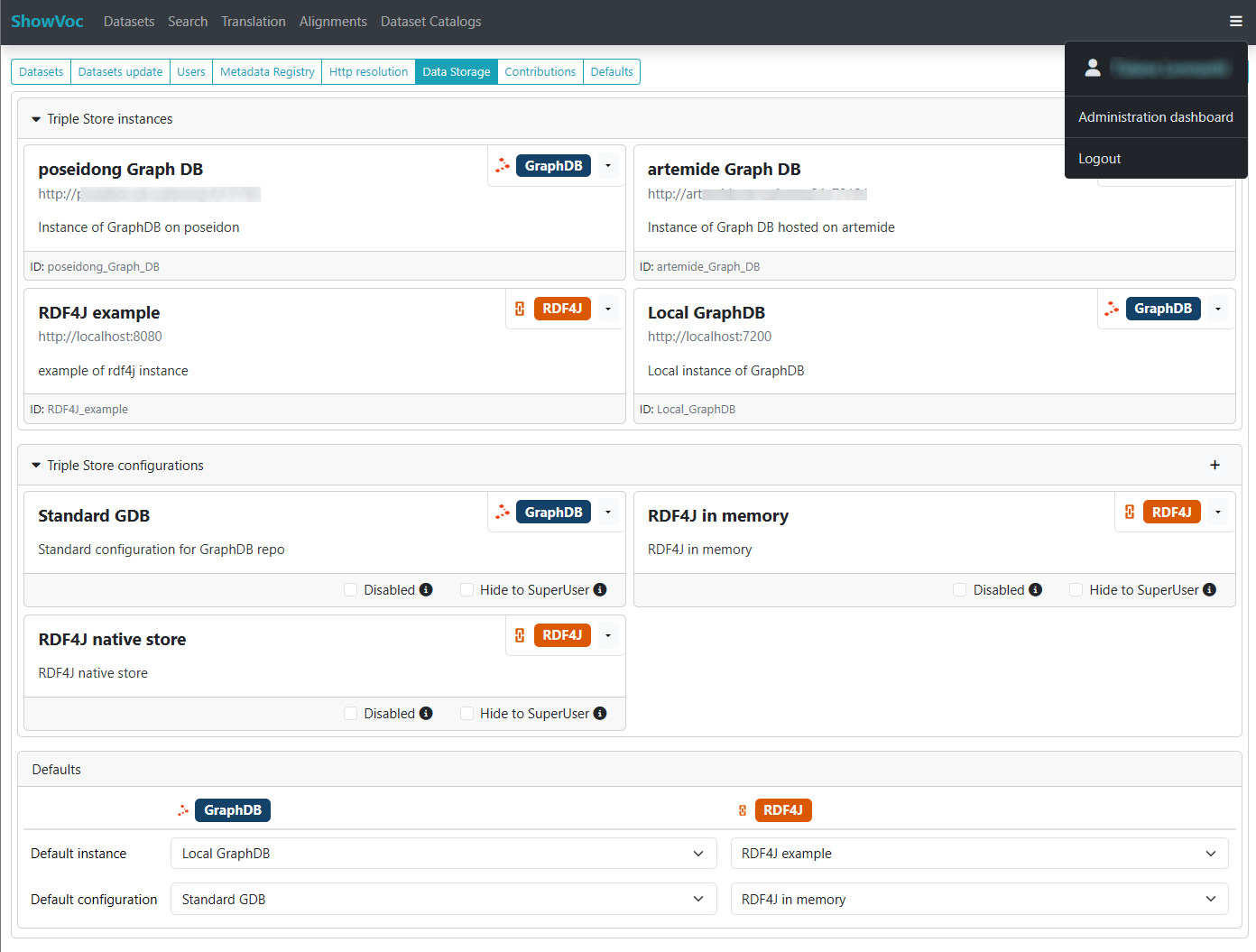
At present, only GraphDB and RDF4J are supported as triple store technologies, and all instances and configurations are created using one of these two options.
Triple Store Instances
The Triple Store Instances panel allows administrators to define and manage individual triple store servers. Each instance includes a name, a description, the server URL, and credentials if required.
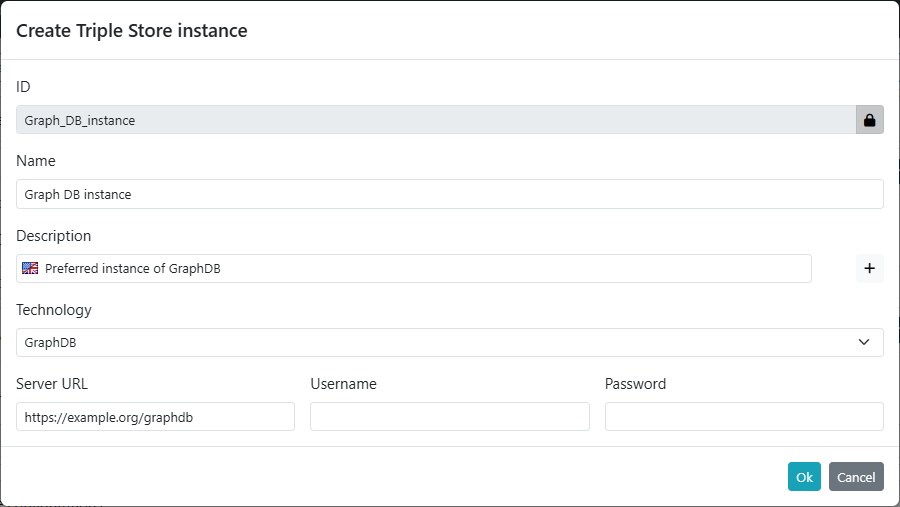
Instances are displayed in a card-based format showing key details such as the name, description, and technology type, making it easy to distinguish between different servers.
Triple Store Configurations
The Triple Store Configurations panel allows the creation and management of detailed configuration profiles for each triple store instance. A configuration determines how repositories are created within a specific triple store instance.
Each configuration can be assigned a short name and a description. The configuration type can be selected among those available for GraphDB and RDF4J, and further edited using the "Configure" button.
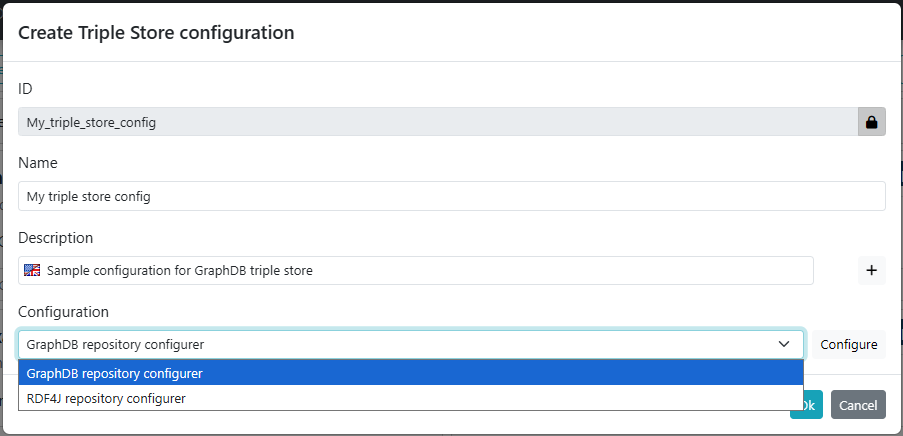
Configurations are presented in a card format, showing the name, short description and technology. Additional options allow administrators to disable or hide configurations from users without deleting them, providing flexibility in management.
Defaults
The Defaults panel allows administrators to define the default instances and configurations for each technology. These defaults are automatically proposed during dataset creation, streamlining the setup process.
The options available in each selector are filtered based on the corresponding technology column.
