







Datasets Update
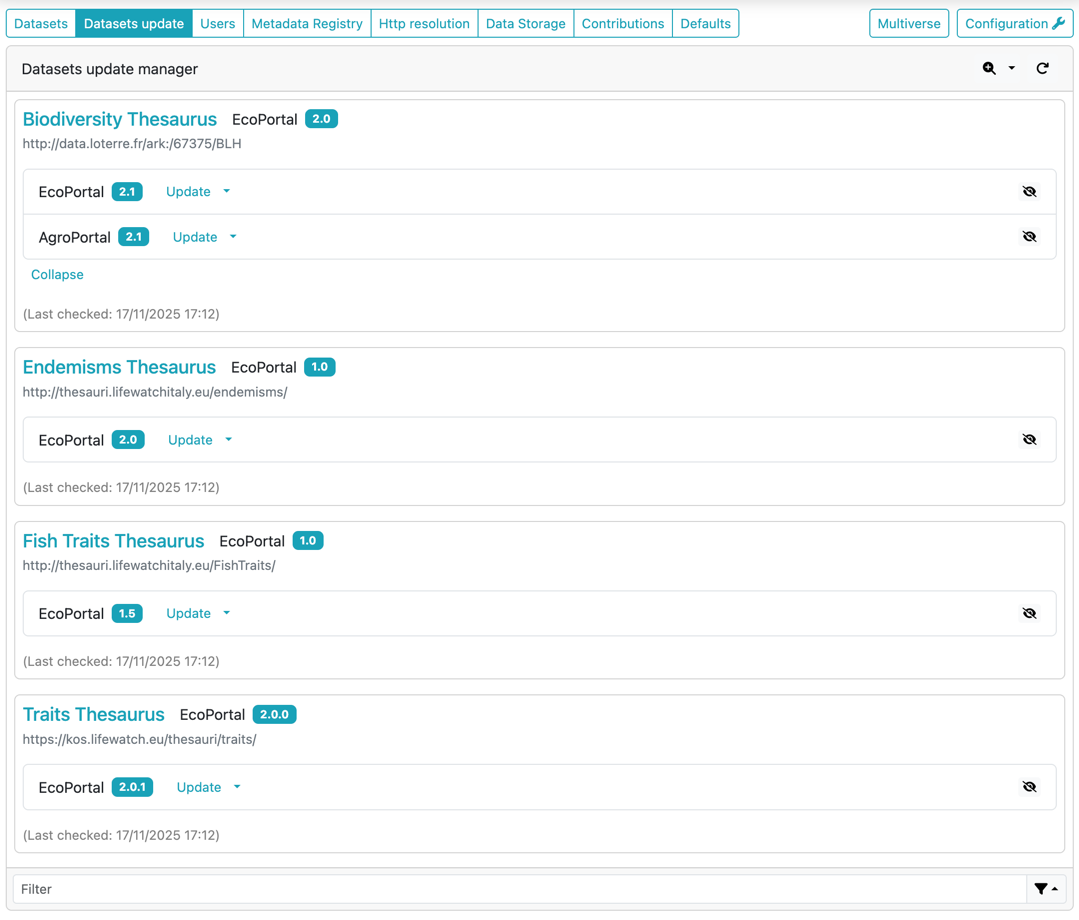
The Datasets Update page provides administrators with a dedicated interface for identifying and managing newer versions of datasets that originate from external dataset catalogs. Only datasets associated with catalogs that support the Update Version Capability appear in this view.
A dataset is listed here only when one or more newer versions have been detected in the external catalog(s) linked to it. This ensures that the page focuses exclusively on datasets requiring attention, rather than displaying all datasets stored in ShowVoc.
The process that checks for updated versions is currently manual and must be launched by the administrator using the toolbar actions. When triggered, ShowVoc contacts each relevant external catalog and compares the internal dataset version with the versions available remotely.
For each dataset, the update check is executed only on:
- the catalog from which the dataset was originally created, and
- any catalog used to update the dataset in subsequent operations.
For example, consider a dataset D1 initially created from catalog C1 and later updated using a version dump from catalog C2 through the Update existing dataset from version dump functionality. In this scenario, ShowVoc will check for updates both in C1 and C2, assuming that both catalogs support the Update Version Capability.
Note: This selective approach is necessary because external catalogs do not share a universal dataset identifier. As a result, ShowVoc cannot compare versions across unrelated catalogs and therefore checks only those explicitly associated with the dataset.
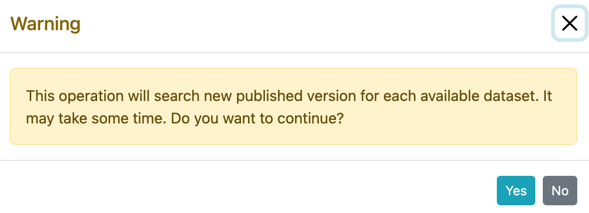
The update-check routine is performed through the Crawl new versions button 🔍(or Clear all and crawl for updates). When activated, a confirmation dialog is shown:
After confirmation, the system inspects all eligible datasets and, once finished, displays:
- the current version stored in ShowVoc,
- the newly detected versions,
- the catalog where each new version was found,
- the timestamp of the last check, shown as (Last checked: DD/MM/YYYY HH:mm).
For each dataset with available updates, the following actions are provided:
Update
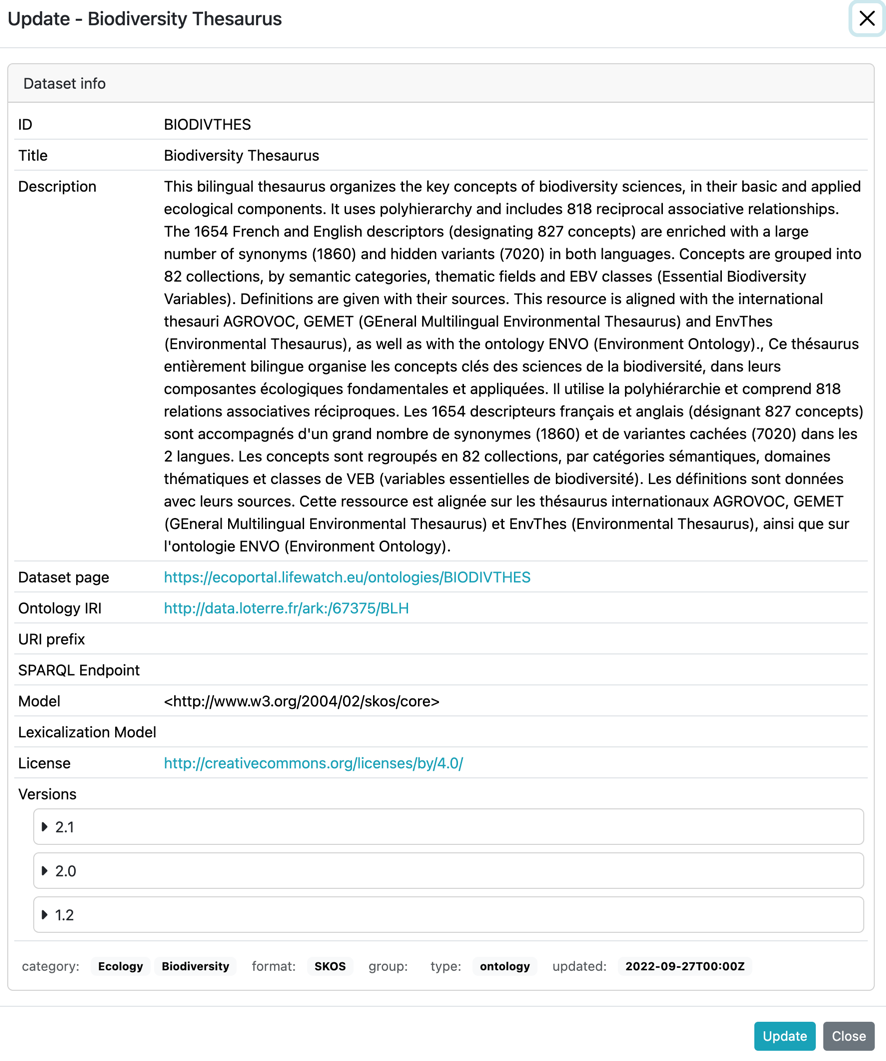
The Update action applies the newer version already shown in the interface. When selected, a dialog prompts the administrator to choose which internal dataset should be updated (if more than one dataset corresponds to the same source). After the selection, the Update Dataset form is displayed with the metadata and dataset dump of the newer version already preloaded.
Create
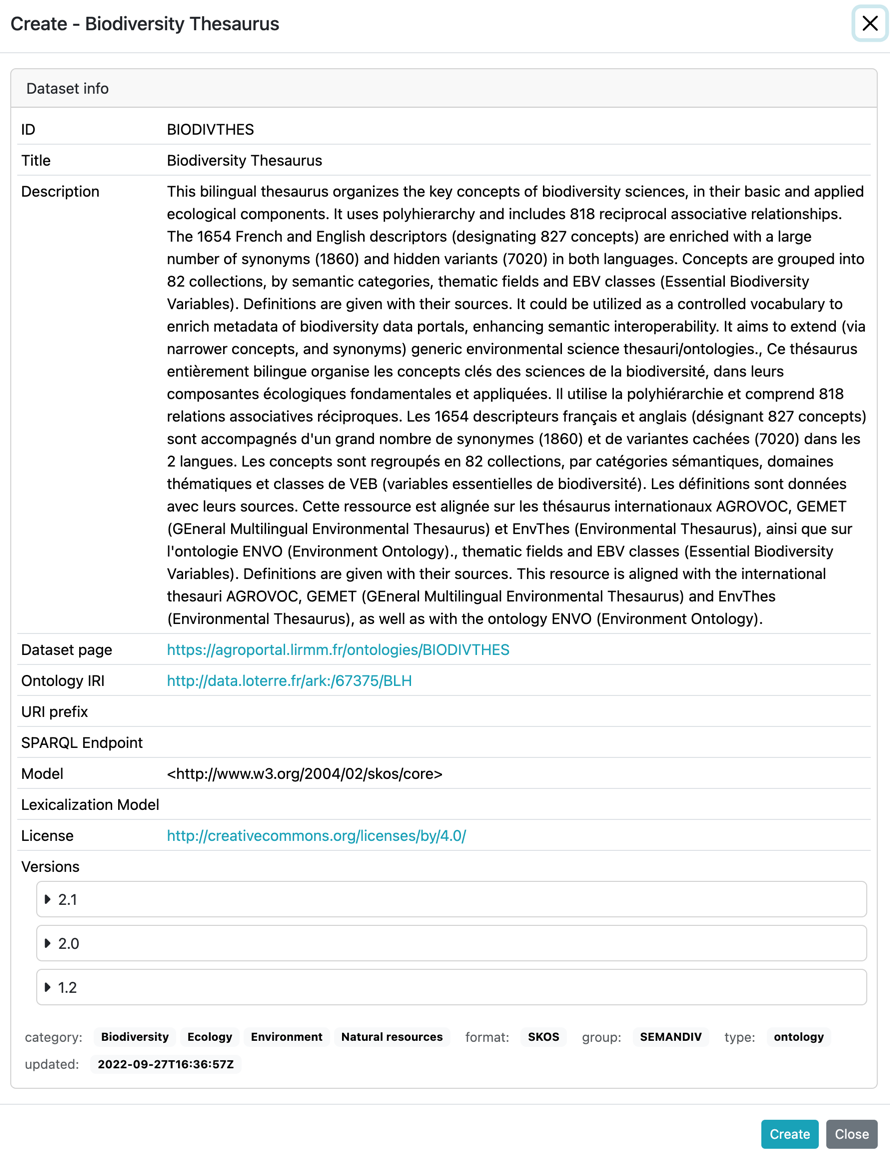
Allows creating a new dataset in ShowVoc using the newer version detected for that catalog. No version selection is required: the system automatically uses the proposed newer version. After choosing this action, the Create Dataset form is displayed with metadata and the corresponding dataset dump already preloaded.
Ignore Update
When an update is not relevant or should be temporarily skipped, the administrator can mark it as ignored. Ignored versions are hidden from the list and are not considered during update operations.
To review or restore ignored updates, the Include ignored updates toggle can be enabled. When this option is active, all previously ignored versions become visible again.
Individual ignored versions can be reactivated at any time by clicking the eye icon, which restores the update and makes it available again among the pending versions.